Key Takeaways
- Most product pages leave money on the table — the real selling happens below the fold.
- Mobile sales rise fast when your navigation is rebuilt for how shoppers actually behave.
- AI boosts speed, but human strategy protects your SEO, brand, and conversions.

You’ve probably heard: “Just use AI to build your eCommerce store, you don’t need humans anymore.”
For brand‑new product tests, this can work. But here’s the blunt truth: 99% of AI‑generated eCommerce stores look the same. They’re forgettable and don’t earn trust or authority.
Now more than ever, with rising ad costs and tougher competition, understanding these fundamentals matters.
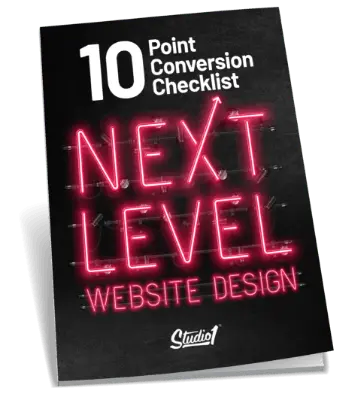
In this article, you’ll learn when AI helps your eCommerce business and when it harms it. The learnings are based on the book Next-Level Website Design, available in paperback and audio.
You’ll see why many product pages are leaking sales, how traffic patterns are shifting, and a systematic testing approach that consistently lifts revenue.
Whether you’re doing $100K or $100M annually, these insights help you capture revenue you’re currently leaving on the table.
This article is based on the lessons from Gert Mellak’s SEO Leverage podcast, where he interviewed our founder, Greg Merrilees, to unpack the trap of thinking that using AI alone is the best way to create a website.

How Online Shopping Traffic Patterns Have Shifted
Your store is no longer necessarily the first place shoppers go. Discovery happens in many places:
- Social media (Instagram, TikTok, Pinterest)
- Community discussions (Reddit, niche forums)
- Video/unboxing content on YouTube
- AI‑powered search tools recommending products
- Google Shopping & comparison sites
What this means for your eCommerce store:
- When visitors arrive, some are warm (from social), some are still cold (AI search referral).
- You must serve both: the ready buyer and the sceptic doing research.
What to do:
- For warm traffic: highlight best sellers, easy reorders, loyalty offers.
- For cold/first‑time traffic: clearly explain your brand, trust signals, guarantee, differences. Provide fuller content on product pages to answer questions compare buyers ask.
AI‑based search means someone might land directly on your product page without knowing you. So you must treat that visitor as if they’re meeting you for the first time. Generic templates assume one‑size‑fits‑all, they fall short in this new reality.
When AI eCommerce Builders Make Sense (And When They’re Dangerous)
Let’s be clear: AI site builders and pre‑built eCommerce templates are very good tools. They allow you to launch product offers quickly. Platforms like Shopify, WooCommerce (with AI plugins), and no‑code builders have democratized online retail.
When they make sense:
- You’re a new eCommerce brand testing product‑market fit.
- You need speed and flexibility more than brand polish.
- You’re testing pricing, messaging, landing pages for ads.
- You’re dropshipping or experimenting.
When they become risky:
- You already have a functioning store with SEO rankings, traffic, conversions.
- You replace it entirely with an AI‑generated template.
What you risk:
- Loss of product page rankings
- Broken URLs/redirects
- Generic positioning
- Lost conversion data
- Damaged trust signals
Hybrid approach (best practice):
Use AI to:
- Generate first drafts of product descriptions.
- Produce variant content for A/B testing.
- Optimize product images or analyze behavior.
But keep humans in charge of:
- Brand positioning and differentiation.
- Conversion‑copy tailored to your audience.
- UX aligned to your customer journey.
- Trust‑building elements unique to your brand.
Bottom line: If you’re making consistent sales already, don’t abandon what works. Use AI to speed up, not replace, your strategy.
The Product Page Problem Costing eCommerce Stores Daily
Most product pages handle above‑the‑fold basics: images, headlines, price, Add to Cart, maybe reviews. That’s fine, for shoppers ready to buy.
But most visitors aren’t ready to buy.
If someone scrolls past your Add to Cart button, they’re looking for more info: sizing, durability, materials, shipping, comparisons. Yet many eCommerce pages don’t offer it.
Think of your product page like a sales rep in a retail store. Would you hire someone who just states: “This is blue, costs $49.99, made of polyester. Any questions?” No, you’d hire someone who understands the customer’s need, explains how it works in real life, handles objections, recommends complements.
Your product page is that sales rep.
The Below‑the‑Fold Content Your Product Pages Need
Here’s a breakdown of specific sections to include, turning product pages into conversion machines:
Why Choose Us / Brand Difference
Explain what makes your eCommerce brand unique: sourcing, manufacturing, quality control, mission. Be specific (not generic “great service”).
Pro tip: Use a bulleted list of real‑world proof.
Bold takeaway: Clearly articulate your brand’s unique value in plain language.
Use Cases & Context
Show how real customers use your product: scenarios, crew types, lifestyle photos.
Pro tip: Use images/videos of real people, real use environments—not just studio shots.
Comparison Information
Help the shopper comparing you vs alternatives. Tables work well: your product vs cheaper alternatives vs premium brands.
Pro tip: Be transparent: when your product isn’t the right choice too, that builds trust.
User‑Generated Content (UGC)
Customer photos, reviews, videos—this social proof boosts trust. Especially for eCommerce apparel, accessories.
Pro tip: Highlight real stories, not stock.
Detailed FAQ
Address friction points: sizing, materials, longevity, shipping, returns, price vs value.
Pro tip: Pull common questions from your support tickets and turn them into FAQ entries.
Complete the Look / Bundle Deals
Offer complementary products, increase average order value.
Pro tip: One click add‑ons, bundle savings, cross‑sells that make sense.
Trust Signals & Guarantees
Money‑back guarantee, free returns, secure checkout badges, press features, customer service contact.
Pro tip: Make shipping & return policies explicit and easy to understand.
Sticky CTA Strategy
As shoppers scroll through all this, keep Add to Cart (or Buy Now) visible:
- Mobile: sticky footer with CTA button
- Desktop: floating sidebar or other visible CTA
Provide multiple conversion points, don’t force them to scroll back to top.
Pro tip: Make the CTA natural and accessible at every major section.
Below is one of the eCommerce websites we’ve transformed, redesigned to better reflect the brand, improve the customer journey, and convert more visitors into buyers.
Here’s one optimization many overlook: mobile menu. Because mobile shopping behaves differently.
Typical lazy approach: Replicate desktop navigation in hamburger menu for mobile. Same categories, same structure, no optimization.
Problem: Mobile users are goal‑oriented, browsing quickly, often distracted. They abandon if navigation is slow or confusing.
Better approach:
- Use analytics/heat maps to see which categories mobile users click most.
- Reorder mobile menu: best sellers first, new arrivals, sale/clearance.
- Add social proof in menu: e.g., “10,000+ happy customers”, rating badge, trust signals.
- Flatten deep hierarchies, make top items easily accessible one tap away.
- Include mobile‐specific quick actions: track my order, size guide, chat support.
Result example: For a client, we restructured their mobile menu and saw 105% increase in mobile menu engagement within 90 days—more product views, higher add‑to‑cart, and more mobile checkouts.
Since 60%+ of eCommerce traffic is mobile, this change alone can move the needle significantly.
Why “Design Like Amazon” Is Terrible Advice for Your Store
You’ll hear: “But Amazon’s product pages are minimal, we should copy that.”
Here’s why that fails:
- Amazon has trust equity built over decades. When people visit Amazon, they already believe in easy returns, fast shipping, millions of reviews. You don’t.
- Minimal pages work for Amazon because the brand does most of the heavy lifting.
For your independent eCommerce brand, you must prove trust in brand, price, shipping, return policy, plus differentiate from Amazon and other marketplaces. That means more than minimalist design. It means persuasive, detailed, trust‑building product pages.
In short: Amazon’s role is different; your role is convincing someone why they should buy from you.
Personalization for eCommerce: The Smart Approach
Everyone talks about personalization. But what does it mean for eCommerce realistically, especially if you’re not Amazon‑scale?
The Personalization Challenge
Big platforms (Amazon, etc) track every user, have vast data. For most independent stores, visitors are anonymous and have little history.
Smart AI Chat Assistant
One practical tactic: implement a conversational shopping assistant (AI chat) on your store that helps users:
- Ask their needs (“What are you using this for?”)
- Recommend products accordingly
- Answer size/fit/care/shipping questions instantly
Why it works:
- Provides real personalization based on stated user need
- Reduces return rate by helping shopping decisions upfront
- Qualifies leads automatically
Simple Personalization Tactics That Work
- Recently viewed products (reminder)
- Cart abandonment emails with exact items left behind
- Location‑based personalization (shipping speed, best sellers nearby)
- Browse behavior personalization (if viewing many items in one category, emphasize that collection)
- Post‑purchase personalization (recommend complementary products)
When to Invest in Advanced Tools
If you have: 100+ SKUs, strong repeat customer base, high lifetime value, budget for it, then personalization platforms make sense (e.g., email segmentation, on‑site recommendation engines). But many stores benefit more by starting with chat + browse behaviour + simple tweaks.
Brand Differentiation: Your eCommerce Moat Against Commoditization
Here’s a big truth: With AI and no‑code tools, launching an eCommerce store is easier than ever. But that means your visual presentation alone is no longer a competitive moat.
What actually creates a moat? Your brand differentiation.
The Threat of Commoditization
If your site could be recreated by an AI template in 30 minutes, you lack differentiation.
Three Questions to Define Your Position
- What are your competitors doing well?
- What’s unique about you (not generic “quality”, “customer service”, “fast shipping”)?
- How do you make that difference memorable on your site?
Building Your Moat
- Authority content: blogs, how‑to guides, expert videos
- Community/social proof: strong UGC, referral programs, loyalty programs
- Interactive tools: size guides, product finders, shopping assistants, quizzes
- Retention mechanisms: VIP memberships, subscriptions, early access
Your goal: Make clear in seconds why someone should buy from you vs Amazon, vs cheaper alternatives, vs generic dropship store.
The Testing Strategy eCommerce Stores Should Use
Here’s how to avoid the “complete redesign” trap and adopt a workable, low‑risk testing roadmap.
The Redesign Trap
A full store redesign is risky: you can lose existing SEO, alienate users, and won’t know what drove any change.
Iterative Testing Approach
Step 1: Gather data, heat maps, session recordings, analytics, customer feedback.
Step 2: Identify biggest leak points, e.g., high‑traffic product pages with low conversion, mobile checkout friction.
Step 3: Test one element at a time: mobile menu, product page layout, trust signals, checkout form.
Step 4: Measure results: conversion rate, average order value, cart abandonment, mobile vs desktop.
Step 5: Keep what works, discard what doesn’t.
Step 6: Compound improvements, many 5‑10% lifts across different areas add up to double‑digit revenue growth.
Mobile‑First Testing
Start with mobile. Given 60%+ traffic is mobile, gains are often fastest here and less risky for desktop.
When a full redesign makes sense
- Your site is 3+ years old, design outdated
- You’re changing brand positioning or target market
- Your platform limits functionality
Even then, preserve well‑converting pages, plan redirects, phase rollout.
Frequently Asked Questions
Should I use AI to build my eCommerce store?
Yes, if you’re testing new products and need speed. But if you have an established store, using AI to replace it outright risks losing years of optimization. Use AI to assist within a strategic framework.
How do I know if I need a full redesign or just optimization?
Start with data: heat maps, session recordings, analytics. If only select pages underperform, test improvements. Full redesigns are costly and high‑risk; optimize first.
What makes an eCommerce product page convert?
Think of it as a sales tool. Above the fold: images, headline, price, review, add‑to‑cart. Below the fold: brand difference, use‑cases, comparisons, UGC, FAQs, bundle suggestions, trust signals. Make conversions easy.
Why is mobile menu optimization so important for eCommerce?
Because mobile shopping is different: users want speed, simplicity, clear trust. Most stores replicate desktop menus, but mobile users behave differently. A behavior‑based mobile menu can lift engagement and sales significantly.
How long does it take to see results from eCommerce optimization?
It depends on your traffic volume and what you’re testing. With decent traffic, most tests show meaningful data in 2‑4 weeks. Big changes like mobile menu or product page overhaul can show results in 30–90 days. The key is one change at a time and measuring properly.
Conclusion and Next Steps
You now understand the gap between generic AI eCommerce templates and conversion‑focused, strategic eCommerce website design. A few key truths:
- Use AI to accelerate, don’t let it replace strategy.
- Your product pages must be full sales tools, not just listings.
- Mobile experience and navigation matter deeply.
- Traffic patterns have shifted, you must serve both repeat customers and skeptical first‑time buyers.
- Small, systematic improvements compound into real growth.
- Your brand differentiation is your true competitive moat, not just design.
If you’re ready to stop leaving revenue on the table and build an eCommerce store that truly converts, let’s talk. At Studio1 Design, we specialize in conversion‑focused branding and website design for eCommerce. Book a free strategy call today to map your biggest conversion opportunities and fix the revenue leaks holding you back.